
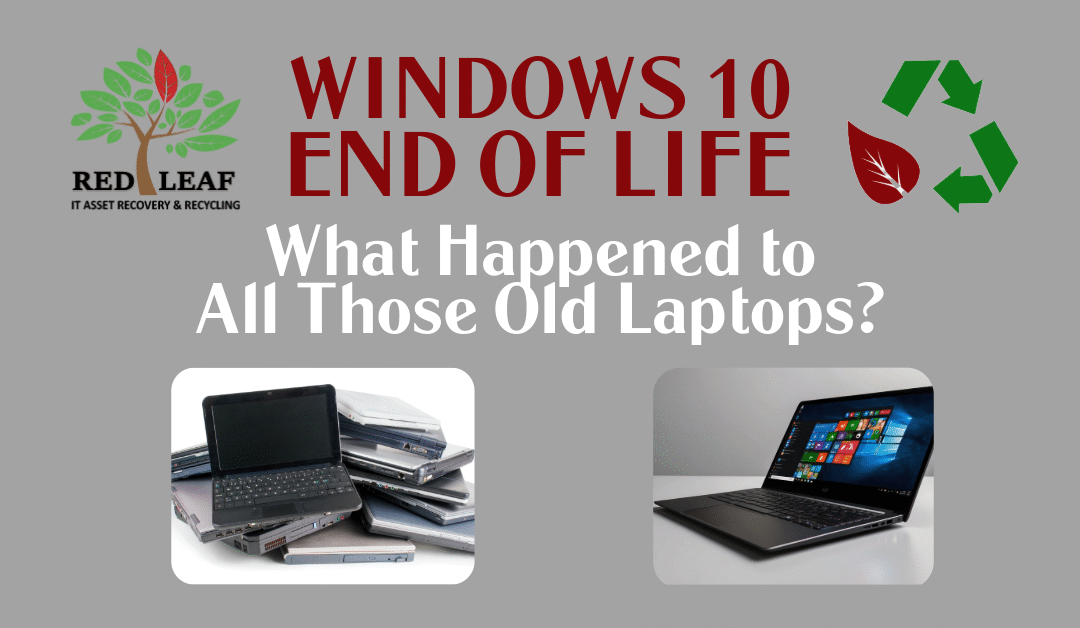
What Happened to All Those Windows 10 Laptops? The Answer Should Worry You.
The Windows 10 upgrade cycle is over. The disposal cycle is just beginning.
When Microsoft officially ended support for Windows 10 in October 2025, organizations across the country rushed to refresh aging hardware. New laptops were ordered, deployment projects were completed, and IT departments checked another major initiative off their list. But now, eight months later, a bigger question remains:
What happened to all those old devices?
For many businesses, the answer isn’t good. Across offices, schools, healthcare facilities, and government organizations, retired Windows 10 laptops are sitting in storage closets, stacked in server rooms, tucked under desks, or worse—ending up in landfills and donation streams without proper data sanitization.
The upgrade was the easy part. What you did with the old devices is where the risk lives.
The Hidden Cost of the Windows 10 Refresh Wave
Millions of laptops were replaced as organizations prepared for the Windows 10 end-of-life deadline. While new hardware improves performance and security, many organizations underestimated the challenge of responsibly managing retired equipment.
We’ve seen businesses holding onto old devices because:
- They aren’t sure how to dispose of them properly
- They worry about sensitive data remaining on the drives
- They assume old equipment has no remaining value
- They haven’t had time to inventory or process retired assets
- They plan to “deal with it later”
Unfortunately, later often becomes never. The result is growing piles of aging technology that create both security and compliance risks.
Your Biggest Risk Isn’t the Laptop. It’s the Data.
Many retired Windows 10 devices still contain:
- Employee records
- Customer information
- Financial data
- Proprietary business documents
- Login credentials
- Email archives
- Healthcare or regulated information
Simply deleting files or performing a factory reset does not guarantee data is gone. If a device leaves your organization without proper sanitization or physical destruction of the storage media, that information may still be recoverable. As privacy regulations continue to expand and cyber threats evolve, organizations cannot afford to treat retired devices as an afterthought. The cost of a data breach can be far greater than the cost of properly disposing of equipment.
The Storage Closet Problem
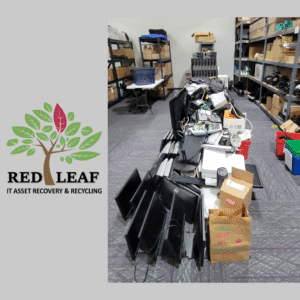
Storage Closet “Solution” (Problem)
One of the most common mistakes we see is what we call “the storage closet solution.” Instead of making a decision, organizations move retired laptops into a spare room and forget about them. At first, it seems harmless. A few laptops become a few dozen. A few dozen become several pallets. Before long, no one knows what is there, what data remains on the devices, or whether any of the equipment still holds value.
Meanwhile:
- Assets continue to depreciate
- Security risks remain unresolved
- Inventory becomes harder to track
- Valuable storage space disappears
Holding onto retired technology rarely reduces risk. In most cases, it simply delays dealing with it.
Not Every Windows 10 Laptop Was Ready for the Scrap Heap
Here’s the part many organizations overlook: Some retired devices still have significant recovery value.
Many Windows 10 laptops that were replaced during the refresh cycle are fully functional systems. While they may not meet Windows 11 requirements for enterprise deployment, they can often be refurbished, remarketed, repurposed, or responsibly recycled.
Organizations that partner with an experienced IT Asset Disposition (ITAD) provider can often recover value from equipment they assumed was worthless.That recovery value can help offset refresh costs while ensuring equipment is processed securely and sustainably.
The Environmental Impact Nobody Talks About
When electronics end up in landfills, valuable materials are lost and environmental harm increases. Laptops contain metals, plastics, circuit boards, batteries, and other components that should be responsibly recycled through certified downstream processors. The surge of retired Windows 10 equipment has created one of the largest technology disposal waves in recent years. Organizations have an opportunity to keep these devices out of landfills while supporting sustainable technology practices. Responsible IT disposal isn’t just about compliance. It’s about stewardship.
Community Reuse Creates Additional Impact
Not every retired laptop needs to be recycled. After proper data sanitization, many devices can find a second life through refurbishment and reuse programs that support schools, nonprofits, community organizations, and families with limited access to technology. A device that no longer meets corporate requirements may still provide tremendous value to someone else. Responsible IT asset management helps bridge that gap while protecting sensitive information.
What Organizations Should Be Doing Right Now
If your organization completed a Windows 10 refresh project, now is the time to evaluate what remains.
Ask yourself:
- How many retired devices are still in storage?
- Have all hard drives been properly sanitized or destroyed? (Do you have documentation for data destruction?)
- Are there devices that still hold recovery value?
- Could some equipment be refurbished or reused?
- Are you compliant with current privacy and data protection requirements?
If you’re not certain of the answers, it’s worth taking a closer look.
Don’t Let the Final Chapter Become the Biggest Risk
The Windows 10 migration may be finished, but the lifecycle of those retired devices isn’t. Every laptop sitting in a storage room represents one of three things:
- A potential data security risk
- A missed asset recovery opportunity
- An environmental responsibility waiting to be addressed
The organizations that planned their refresh strategy well are now focusing on their disposition strategy. Because in 2026, the question is no longer whether you upgraded from Windows 10.
The question is: What happened to the devices you left behind?
Need Help Managing Retired Windows 10 Devices?
Red Leaf IT Asset Recovery and Recycling helps organizations securely manage retired technology through certified data destruction, IT asset recovery, refurbishment, electronics recycling, and responsible downstream processing. Whether you have a handful of laptops or an entire warehouse of retired equipment, we can help you reduce risk, recover value, and keep electronics out of the landfill. Contact Red Leaf today to schedule an asset review and discover what’s hiding in your storage room.